 Ahdly
Never miss
Fajr again.
Ahdly is a Fajr alarm for iPhone. It rings at Fajr time for your city, even on silent, and turns off only when you get up and finish a short challenge.
Requires iOS 26 or later.
الصَّلَاةُ خَيْرٌ مِنَ النَّوْمِ
As-salātu khayrun minan-nawm
Prayer is better than sleep

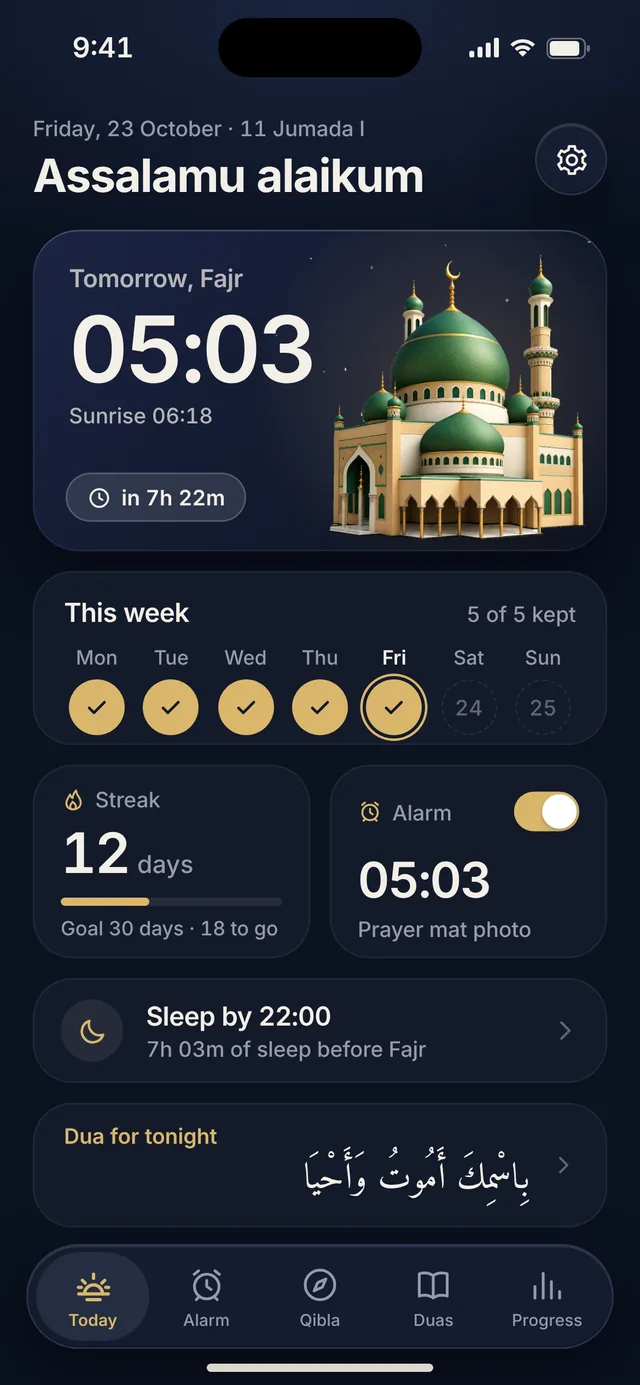
Your Fajr, minute by minute
Ahdly is built around one moment of the day. Here is what it looks like.
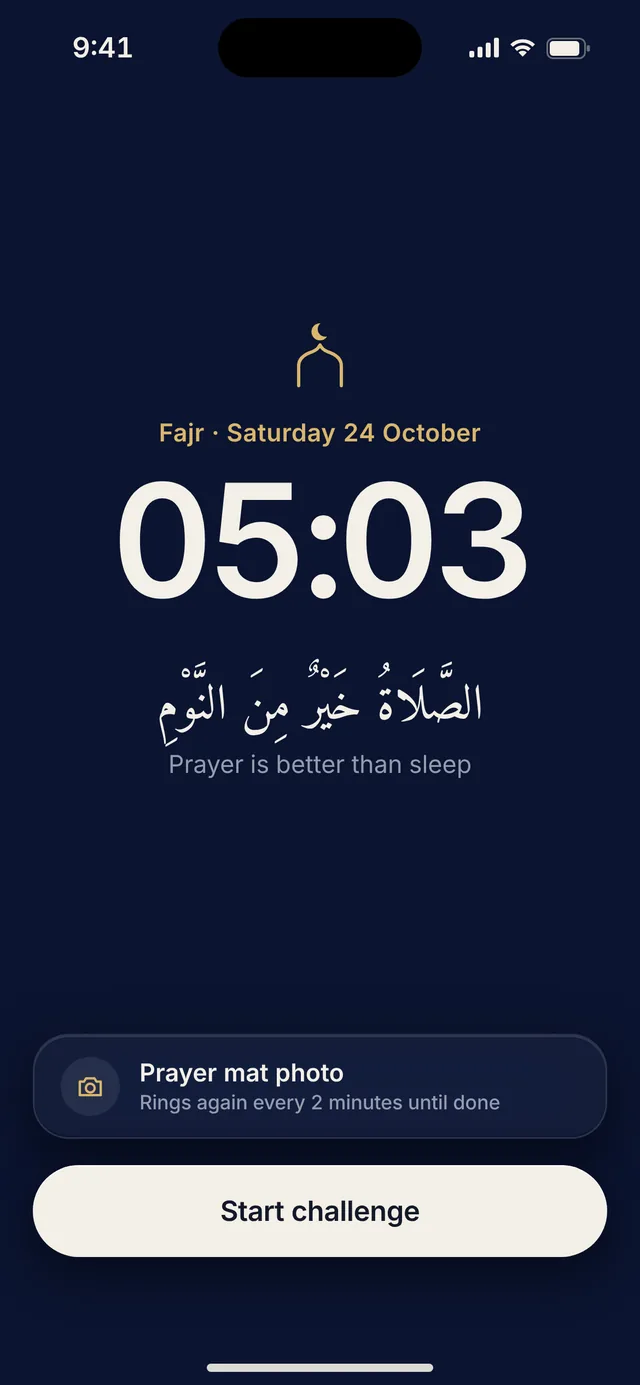 05:03
The alarm rings
At Fajr time for your city, even on silent or in Focus. Times are calculated on your iPhone.
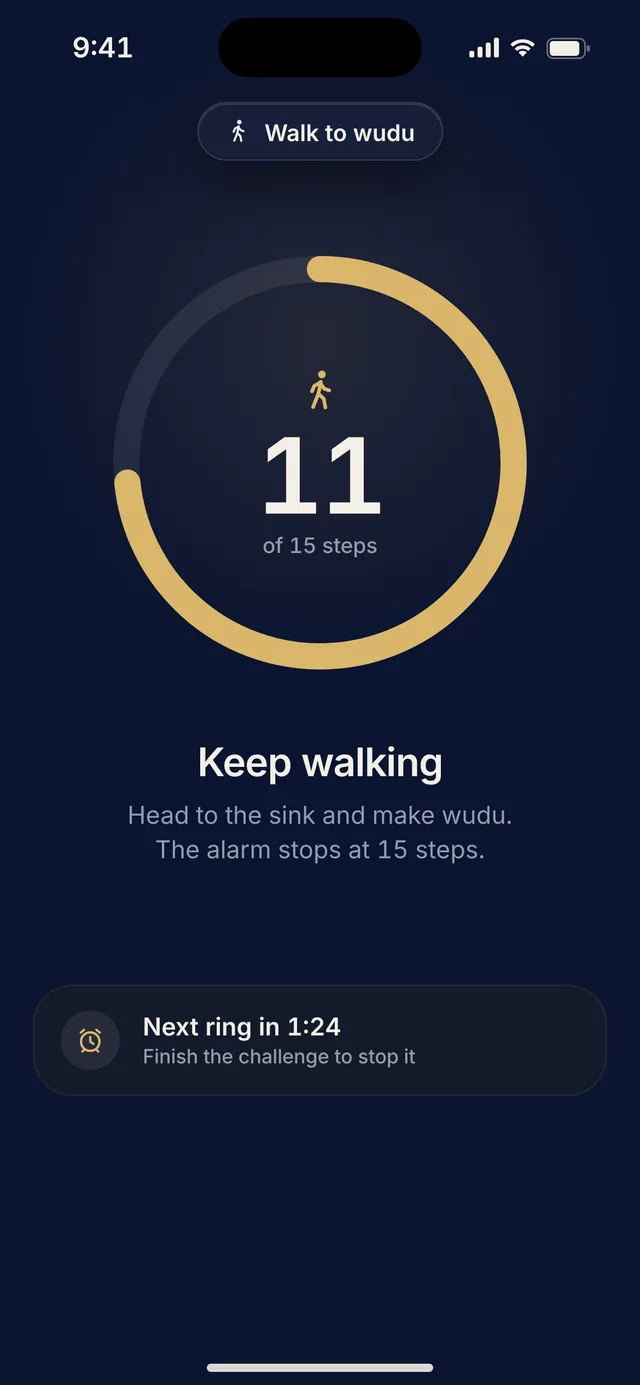 05:04
You get up
Stopping the alarm is not enough. You finish a short challenge, and if you go back to sleep it rings again every 2 minutes.
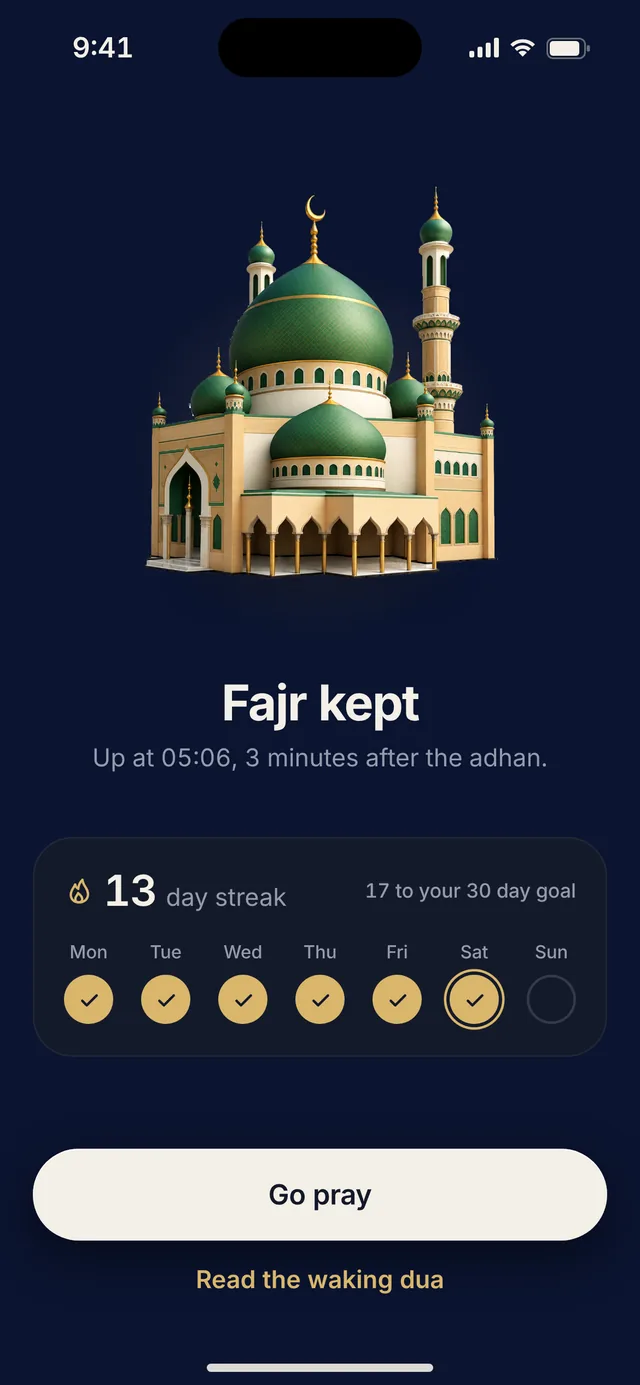 05:06
Fajr kept
You are awake for the prayer. Your streak grows and your week fills in.
Three ways to wake up
Pick the challenge that works for you. You can change it any time.
Photo of your prayer mat
Lay out your mat and take a photo of it. Ahdly checks it on your phone against your own mat, and the photo is never saved.
Dhikr 33 times
Say Astaghfirullah and tap the circle each time. Done in under a minute, and fully awake by the end.
Walk to wudu
Take 15 steps toward the sink. Your iPhone counts them, so you are already on your way to wudu.
Fajr at a glance
Open Ahdly and everything for the next Fajr is on one screen.
- The next Fajr time with a live countdown
- Your week, your streak and your goal
- Your alarm and the challenge that turns it off
- When to sleep to rest well before Fajr
- A dua for the moment

Face the Kaaba from anywhere
A calm compass that shows the direction of the Kaaba and how far you are from Makkah.
- Turn left or right guidance, in degrees
- A gentle tap when you face the Qibla
- Direction and distance calculated on your iPhone

Duas for the night and the dawn
Short duas from the Sunnah, from going to sleep to the morning, each with its source.
- Arabic, transliteration and meaning
- The right dua for the moment, picked by the time of day
- Copy, share or save your favorites

Every dawn you kept, in one place
See your mornings add up, one Fajr at a time.
- Your current and best streak
- A month calendar of kept and missed days
- Goals of 7, 10, 30, 40 and 100 days
Rings through silent
Built on Apple's alarm system, so it rings even when your iPhone is on silent.
Bedtime reminder
A nudge 30 minutes before your bedtime, with tomorrow's Fajr time.
Your mosque's method
Muslim World League, Umm al-Qura, Dubai, North America and more.
Light and dark
Follows your iPhone, or choose the theme you like.
Private by design
Ahdly has no account and no ads. Your mornings are yours.
Stays on your iPhone
Your location, prayer times, progress and settings are stored on your device, not on our servers.
Photos are never saved
The prayer mat photo is checked on your phone and discarded right away.
No tracking
No advertising, no tracking across apps, and we never sell data. Read the privacy policy.
Try it free for 7 days
One subscription unlocks everything.
Yearly
$29.99 / year
$2.50 a month after a 7-day free trial
- Fajr alarm that rings through silent
- All three wake-up challenges
- Qibla, duas and progress
Weekly
$4.99 / week
No trial, cancel any time
- Fajr alarm that rings through silent
- All three wake-up challenges
- Qibla, duas and progress
Prices are in US dollars and may differ in your country. Payment is charged to your Apple ID. Subscriptions renew automatically unless cancelled at least 24 hours before the end of the current period.
Questions, answered
Does the alarm ring when my iPhone is on silent?
Yes. Ahdly uses Apple's alarm system for iPhone, the same kind of alarm as the Clock app, so it rings through silent mode and Focus, even when the app is closed.
Which iPhones are supported?
Any iPhone running iOS 26 or later.
How are Fajr times calculated?
On your iPhone, from your location, with standard methods such as Muslim World League, Umm al-Qura, Dubai and North America. Choose the method your local mosque follows in Settings.
What if I go back to sleep?
The alarm rings again every 2 minutes until you finish your challenge.
Can I test the alarm?
Yes. In the Alarm tab, tap Test alarm in 1 minute. Test alarms never change your streak.
Is the prayer mat photo saved?
No. The photo is checked on your iPhone and discarded right away. It is never saved to your library and never uploaded.
Where do the duas come from?
From well-known hadith collections such as Sahih al-Bukhari and Sahih Muslim. Each dua shows its source under the text.
Do I need an account?
No. There is no sign-up and no login. Your data stays on your iPhone.
How do I cancel my subscription?
Open Settings on your iPhone, tap your name, then Subscriptions, then Ahdly. Cancel at least 24 hours before the renewal date and you will not be charged again.
Be first to know
Ahdly is coming soon to the App Store. Leave your email and we will send one message on launch day.